
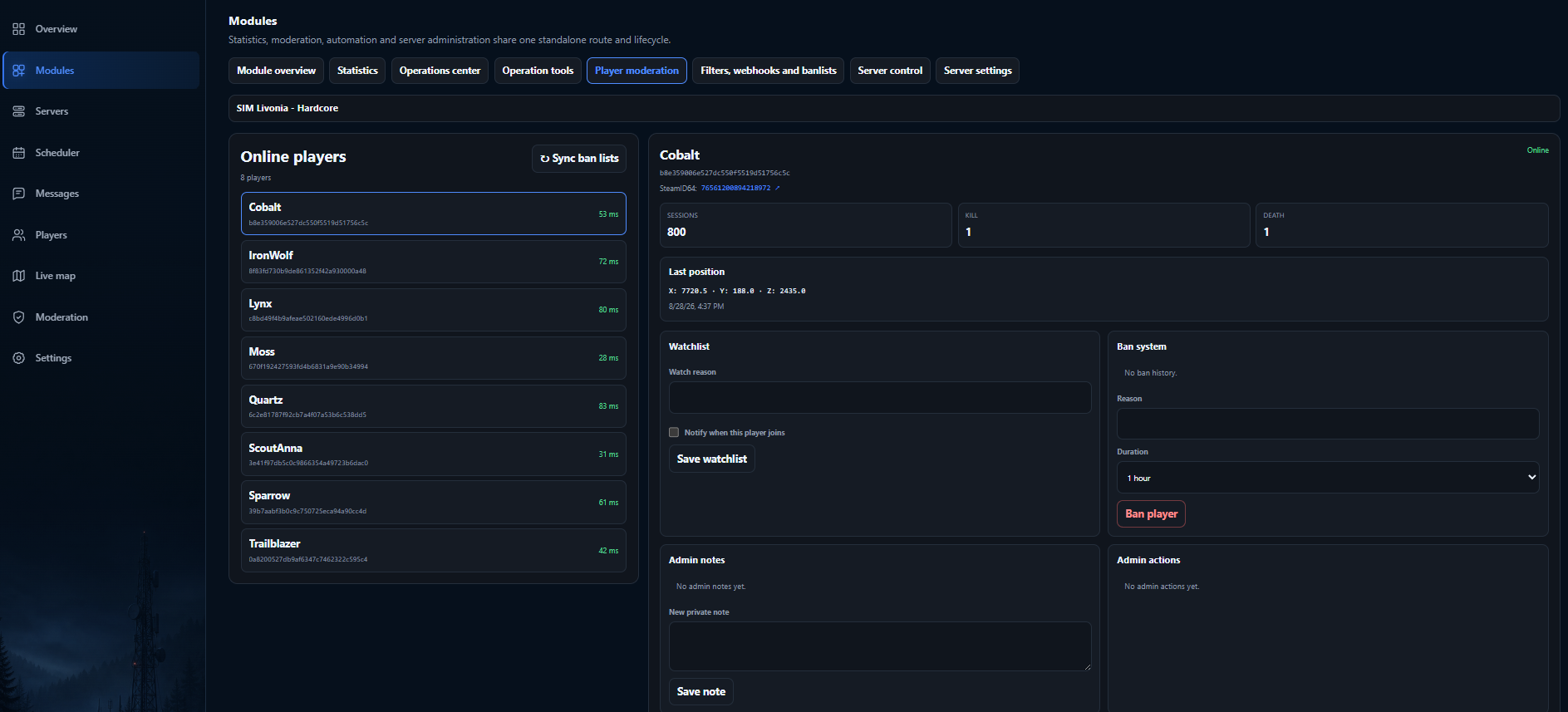
A DayZ community can outgrow ad-hoc administration quickly. One tool shows connected players, another stores notes, scheduled restarts live somewhere else, and important context disappears between browser tabs or chat messages. GAdmin is designed around the opposite model: keep the server, the player and the action together.
A shared operational picture
The operations center starts from the server you are managing. Live state and connection capabilities sit beside the actions available to the signed-in administrator. When you move into a player profile, you retain the context needed for moderation: aliases, sessions, notes, watchlist state and previous actions.
This approach is useful for both solo owners and multi-person teams. The interface stays consistent while backend permissions decide which operations each user may perform. Hiding a button is never treated as the security boundary.
Connect with validation first
When a server is added, GAdmin can discover and validate its Steam Query and RCON endpoints before the connection is saved. The RCON credential is protected and is not repeatedly shown back through the normal interface.
For deeper live features, the GAdmin Agent runs within the DayZ server environment or through a supported hosting integration. It connects outward to GAdmin over HTTPS and handles only explicitly supported operations. This avoids opening a general-purpose cloud command console.
Daily tasks in the same workspace
- See server health, online players and current activity.
- Open player context before applying a moderation action.
- Use the live map to understand location and nearby events.
- Save repeatable locations, kits and supported operations.
- Schedule routine messages, restarts and server state changes.
- Review outcomes in operational and audit history.
Built for deliberate administration
GAdmin does not expose arbitrary raw RCON text to ordinary portal users. Remote work moves through typed operations with known payloads, plan and permission checks, and a result reported back by the server-side agent. This makes the system easier to reason about and reduces the risk of a copied command doing something unexpected.
Frequently asked questions
Can I manage more than one DayZ server?
GAdmin workspaces and navigation are designed around multiple servers. The number available to an account depends on its active plan and entitlements.
Does GAdmin replace BattlEye RCON?
GAdmin uses RCON and the paired GAdmin Agent as parts of the control path, then presents supported actions through a purpose-built browser interface. It is not a raw RCON terminal.
Can a team use the same workspace?
Yes. Workspace membership and permissions are part of the product model, so access can be delegated without giving every administrator every capability.