
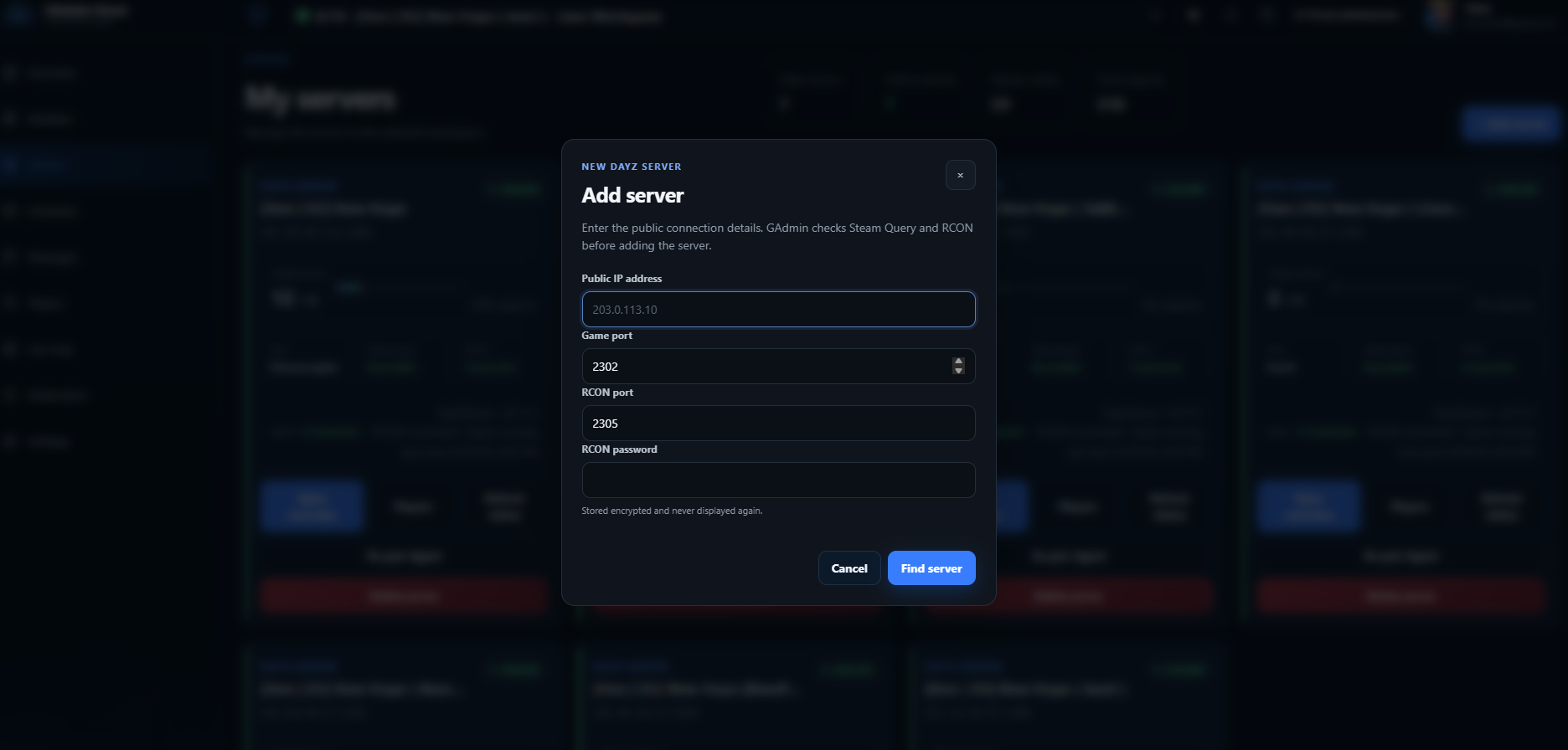
Set up the correct server connection
Provide the public server address, game port, Query port and BattlEye RCON port and password through the authorized server-management flow. These ports serve different purposes. Successful Query discovery does not prove that the RCON password or port is correct. Test the connection, review the result and save the intended server; closing the form without saving does not register the tested settings.
Keep credentials within the management flow
The workspace owner or recorded server creator has access to the authorized connection-management workflow. Reading player or server information elsewhere does not grant credential access. The stored RCON password can be revealed in that authorized flow; the raw Agent API key is available when generated and cannot later be recovered. Updating credentials on the hosting side does not automatically update the saved Portal connection.
RCON and Agent operations have different jobs
GAdmin presents documented operations rather than requiring ordinary users to copy arbitrary console text. Supported RCON actions use the configured connection. Rich map observations and supported world commands use the paired GAdmin Agent. A connected Agent does not prove that every RCON action is available, and a healthy RCON connection does not supply every map or world capability.
Check access before sending an action
RCON viewing and execution have separate permissions and plan conditions. Player actions can require their own operation permission. Server module switches and reported capabilities also apply. Choose the server and target, review the action and confirm it where required. A message, kick, lock or restart is not interchangeable with a different operation simply because both use remote control.
Resolve connection failures before retrying
An unreachable endpoint, invalid password or rate limit needs a different response from a command still in progress. Read the error and operation history before sending another request. A restart request does not guarantee that the hosting environment successfully relaunched the game process; verify the subsequent status and uptime. The troubleshooting guide separates Query, RCON and Agent failures.
Availability depends on the active workspace plan, server permissions, enabled modules and the capabilities of the connected server or Agent.
Setup and detailed guides
Questions about this feature
Do I still need the server’s RCON password?
Yes, for the RCON connection. Use the value configured in BattlEye for the selected server and the correct RCON port.
Does a working RCON connection enable the live map?
Not by itself. Live position and object data need a compatible authenticated source, normally the paired GAdmin Agent.
Does a successful test save my settings?
No. A connection test checks the supplied values. The separate save action validates and stores the intended connection.